v1.0.0Available now
Windows creator workspace
Turn video links or local files into polished 1080×1920 reels with templates, hooks, optional ElevenLabs voiceover, captions, thumbnails, watermarking, smart cuts, and local settings.
Paste a link or drop a file. ReelSpark cuts, captions, and voices your reel in under two minutes — no editor, no credits to babysit.
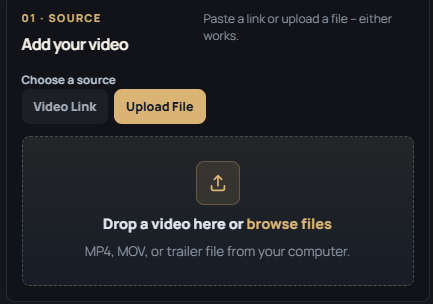
Paste a YouTube or video link, or drop an MP4/MOV straight from your computer. Either way works.
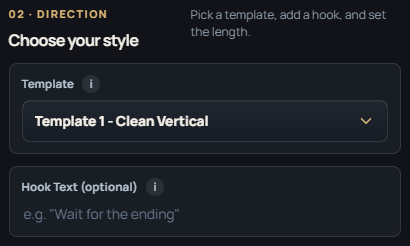
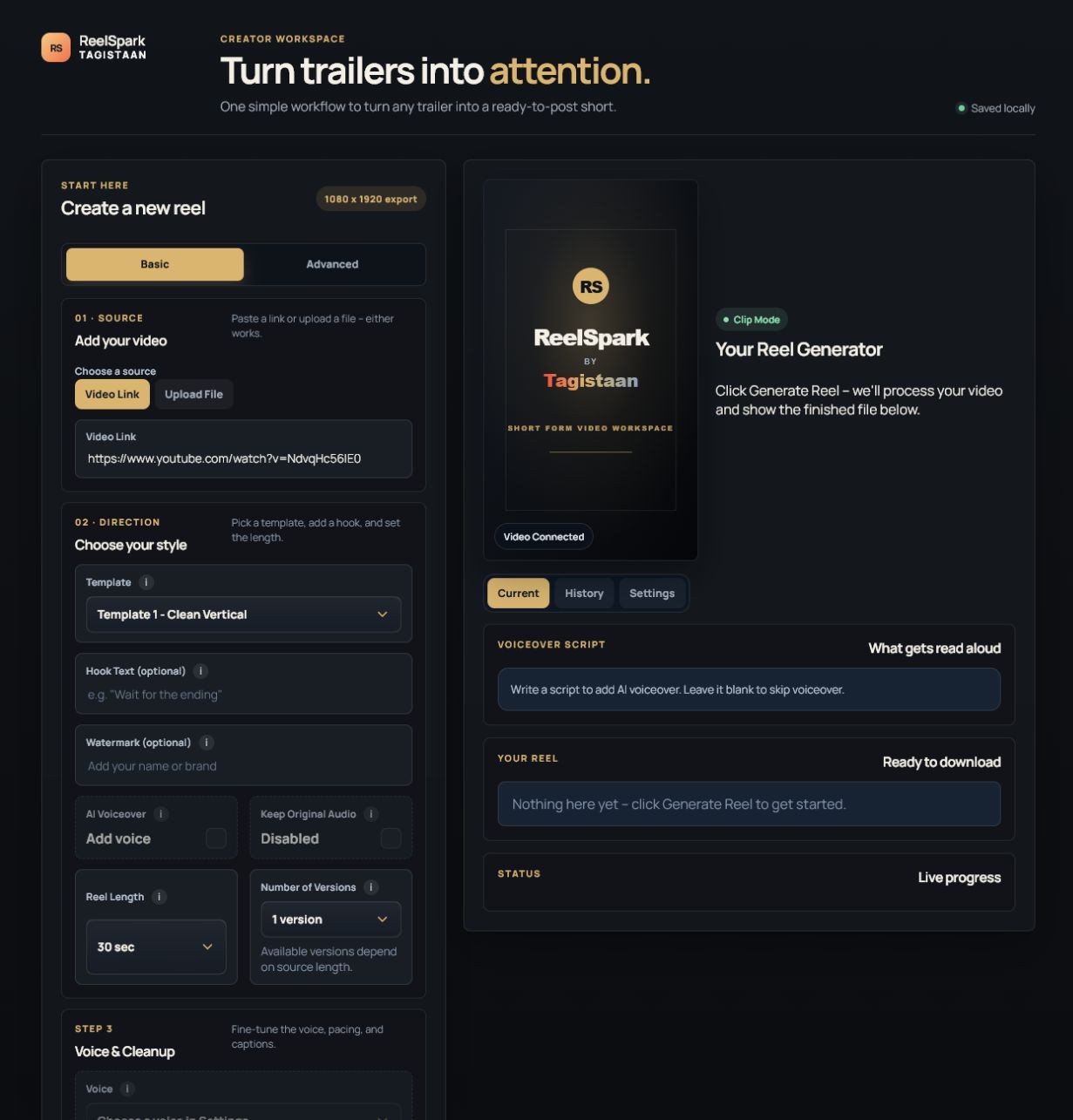
Pick a template, add an optional hook and watermark, and choose how long the final reel should be.
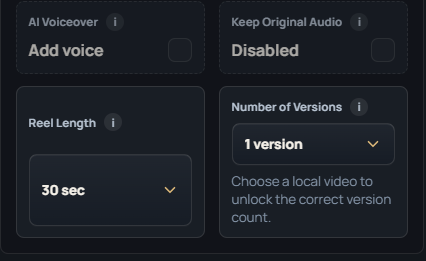
Turn on AI voiceover for narration, or keep the original audio — beat cutting adjusts either way.
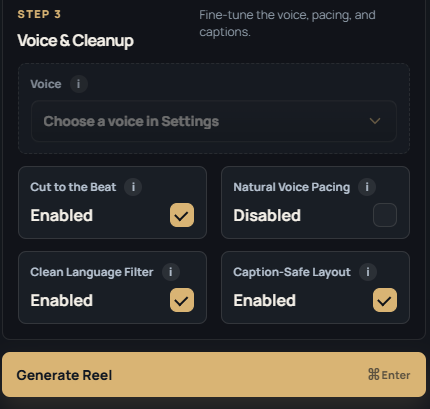
ReelSpark renders a caption-safe 1080×1920 file, ready to post — with unlimited generations included.
See what is available today, what just shipped, and what we are building next for the creator workflow.
Turn video links or local files into polished 1080×1920 reels with templates, hooks, optional ElevenLabs voiceover, captions, thumbnails, watermarking, smart cuts, and local settings.
Install the ReelSpark Creator skill in Codex or connect the MCP server to Claude Desktop. Save your brand profile once, then turn batches of links into personalized scripts, metadata, and ReelSpark jobs from chat.
Connect your channel through Google’s official OAuth flow, review the generated title, description, tags, visibility, and finished video, then publish with one clear confirmation.
A signed, notarized Mac app with bundled runtimes, native folder selection, and the same local-first creator workspace for Apple Silicon and Intel Macs.
Official Instagram publishing where account permissions support it, plus stronger scene selection, hooks, pacing, captions, and creative recommendations tuned to each source video.
Every reel gets a full pass: voice, rhythm, framing, and cleanup, with zero manual timeline work.
Write your own script or leave it blank — ReelSpark generates one and narrates it in a natural voice.
Audio Beat Cutting matches every scene change to the rhythm of the track — no manual trimming.
Captions always stay inside the frame — nothing cropped, nothing hidden by UI overlays.
One flat plan, no per-video charges. Generate as many reels as you want, whenever you want.
Start from a template tuned for hooks, pacing, and watch-time — not a blank timeline.
Paste a YouTube link or drop a local file. Every export lands at a clean 1080×1920.
Set your source and direction on the left, watch your reel come together on the right.
Honest feedback from licensed ReelSpark creators. Every review is checked before it appears here.
One focused plan. No confusing tiers or credit calculations.
Get the Windows desktop app with bundled tools, local-first settings, and the controls you need to turn source videos into publish-ready vertical reels.
Every reel exports vertical and clean, ready for TikTok, Reels, Shorts, and YouTube — no manual resizing, no re-uploading three different versions.
Turn raw footage into a finished, voiced, on-brand reel every single day — no editor on payroll.
Trailer drops, fight scenes, plot twists — clip it, caption it, and post it before the moment cools off.
Pull the best moments from your own episodes and turn them into shorts without re-editing from scratch.
No per-video charges, no credit math. Just an unlimited reel generator for creators who post every day.
ReelSpark turns a video link or file into a finished short — cutting, captioning, and voicing it automatically, so you get a ready-to-post reel without opening an editor.
No. Pick a source, choose a template and length, and click generate. There's no timeline, no manual cutting, and no plugins to learn.
Yes. ReelSpark connects to ElevenLabs — write your own script or leave it blank and it will generate one, then narrate it in the voice you choose.
Paste a YouTube or direct video link, or upload a local MP4 or MOV file straight from your computer.
No. ReelSpark runs on one flat plan with no per-video charges, so you can generate as many reels as you need.
Every reel exports at a clean 1080×1920, ready for TikTok, Reels, or Shorts without extra resizing.
Yes. Voiceover is optional — turn it off and ReelSpark will keep the source video's original audio instead.
Open ReelSpark Settings, go to YouTube Publishing, save your Google OAuth Desktop Client ID, then choose Connect YouTube. ReelSpark opens Google's official consent screen; you sign in there and approve access. ReelSpark does not ask for or store your Google password.
You need a Google Cloud OAuth Desktop client with YouTube Data API access enabled. You do not paste a Google password into ReelSpark. After OAuth connection, ReelSpark uses the channel authorization to publish only after you review and confirm the exact title, description, tags, video, and visibility.
No. ReelSpark prepares the video and metadata, but publishing remains confirmation-based. You choose the channel and visibility, then explicitly confirm before an upload is sent to YouTube.
You choose the target length for each reel — shorter cuts for fast hooks, longer cuts for storytelling clips.